Изненадващата цена на пробив в данните за малкия бизнес
Alexander Sverdlov
Анализатор по сигурността

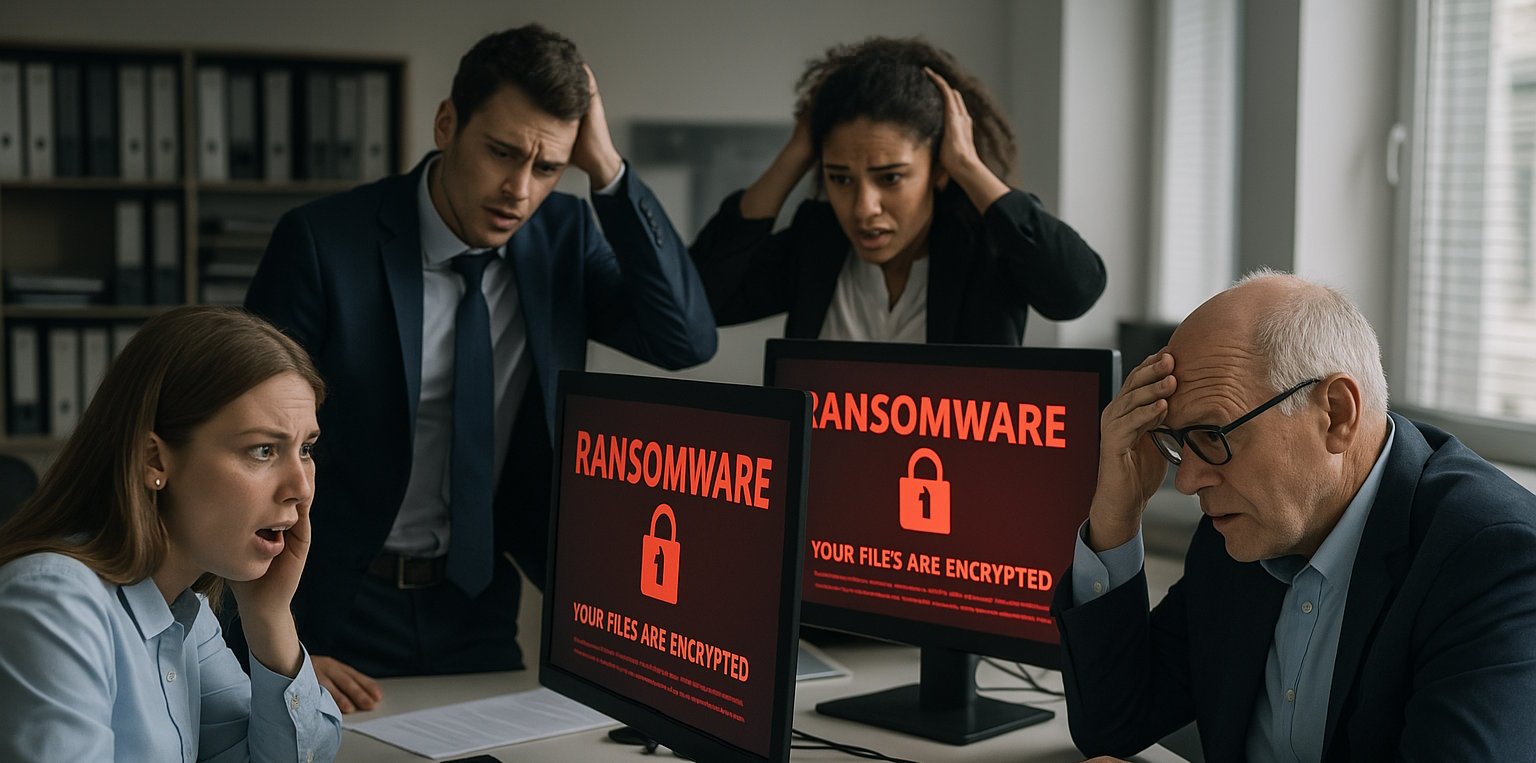
Когато чуете за пробив в данните, вероятно си представяте заглавия за големи компании - гиганти от Fortune 500, губещи милиони и борещи се да ограничат щетите. Но има далеч по-опасна реалност под повърхността: почти половината от всички кибератаки са насочени към малки бизнеси и повечето от тях никога не стигат до новините.
In fact, 60% от малките бизнеси затварят в рамките на шест месеца след пробив. And still, the majority don't take cybersecurity seriously until it's too late.
“Why would someone target us? We’re small. We don’t have much data.”
This is the most common - and dangerous - assumption small business owners make.
Hackers don’t discriminate by size. They look for weak points. And small businesses are usually:
-
Underfunded in cybersecurity - because you often don't even know where to start in the sea of security companies and tools, not necessarily due to lack of funding.
-
Undertrained in security awareness - because most security awareness courses suck, plain and simple.
-
Underserved by IT providers - because most outsourced IT companies don't hire security experts and only focus on delivering IT.
-
Overly confident in tools that give a false sense of protection - because you've trusted a salesman once or twice, promising you security when you buy a firewall and an antivirus...
💥 Why Small Businesses Are Prime Targets
Here’s why small businesses are at greater risk than they realize:
-
Fewer Security Controls: Most small companies don’t have in-house cybersecurity experts, formal incident response plans, or real-time threat detection.
-
Valuable Data: Even a small company handles payroll, customer data, personal emails, financial records - all of which are valuable on the dark web.
-
Low Resistance to Extortion: Hackers know you can’t afford long downtime. You’re more likely to pay a ransom fast.
-
Backdoor Access to Bigger Targets: Many small businesses are part of larger supply chains. If hackers breach you, they may breach your clients too.
And attackers aren’t just cybercriminals. They might be:
-
Disgruntled former employees.
-
Competitors.
-
Random opportunists using automated scanning tools.
So the question isn’t “Are we a target?”
It’s “How exposed are we right now - and what would a breach really cost us?”
🔍 What “Data Breach” Really Means
A data breach isn’t just someone breaking in and downloading a file. It’s a chain of events that can involve:
-
Unauthorized access to email accounts
-
Stolen customer payment info
-
Leaks of sensitive HR records
-
Malware that spreads silently for weeks
-
Ransomware that locks your entire business out of its own data
-
Exfiltration of intellectual property or contracts
-
Public exposure of internal messages or trade secrets
Even if you fix the vulnerability quickly, the reputational damage is already done.
🧨 What Happens the Moment You Get Breached
Let’s walk through what a typical breach response looks like in a small business:
-
Discovery (usually by accident) – A customer complains. A bank calls. You notice something strange in your system logs - if you’re even looking.
-
Panic – Leadership scrambles. Employees start asking questions. Nobody knows what’s safe to touch. Tension spreads across the team.
-
Containment Attempts – If you don’t already have a cybersecurity team on standby, you now have to:
-
Find a specialist
-
Negotiate hourly rates
-
Let strangers access your systems
-
Try to continue serving customers (who are noticing something’s wrong)
-
-
Downtime – Your systems are locked down. You can’t invoice, serve customers, or even communicate normally. Every minute is money lost.
-
Disclosure – You’re legally obligated to notify affected parties - customers, partners, sometimes even regulators.
-
Damage Control – You call your insurance provider (if you have cyber coverage). You deal with public statements, upset customers, and legal advice.
-
Aftermath – Even after systems are restored, you’re left with lost revenue, a damaged reputation, possible lawsuits, and increased scrutiny.
That’s just week one.
💰 The Financial Impact: What It Actually Costs
We’ll go deeper into the cost breakdown in Part 2, but here’s a preview of what small businesses often face after a breach:
| Category | Estimated Cost (USD) |
|---|---|
| Incident Response + Forensics | $25,000 – $100,000+ |
| Legal Fees | $10,000 – $50,000 |
| Regulatory Fines | $5,000 – $250,000+ |
| System Recovery | $10,000 – $80,000 |
| Customer Notification + PR | $5,000 – $20,000 |
| Downtime / Lost Revenue | $5,000 – $500,000+ |
| Increased Cyber Insurance Premium | 25–100% hike |
| Client/Contract Loss | Unpredictable but devastating |
Even a “small” breach often costs $200,000 or more.
That’s more than most small businesses can absorb.
When you first hear the number - “$200,000 per breach” - it’s easy to assume that includes everything.
It doesn’t.
That’s often just the tip of the iceberg. Let's break down the actual categories of cost small businesses face after a breach - and how quickly they can escalate.
💸 1. Immediate Response Costs
a. Incident Response & Digital Forensics
-
Specialists charge $200 to $800/hour.
-
You’ll need someone to identify what happened, how it happened, and whether it’s still happening.
-
This can take days or weeks.
🧾 Typical cost: $20,000–$100,000+
b. Containment & Remediation
-
Patching systems, removing malware, resetting accounts, reconfiguring access controls.
-
If you're using outdated systems (and many SMBs are), you may need to replace hardware or migrate entire infrastructures.
🧾 Typical cost: $10,000–$80,000
⚖️ 2. Legal, Regulatory & Compliance Costs
a. Legal Representation
-
You’ll need lawyers to advise on what you’re legally obligated to disclose.
-
You may also need legal support if you're sued by clients or partners.
b. Data Breach Notification Laws
-
U.S. law (and many global laws) requires you to notify every affected individual.
-
For example: If you store 3,000 customer emails and they’re compromised, you need to notify 3,000 people.
c. Regulatory Penalties
🧾 Typical cost: $10,000–$250,000, but unfortunately, some also include jail time for serious offenses (HIPAA).
🛠 3. Operational Disruption
a. System Downtime
-
Can’t invoice clients.
-
Can’t fulfill orders.
-
Can’t access your CRM.
-
Can’t process payments.
Even one day offline can wreck cash flow.
🧾 Estimated cost: $10,000–$50,000 per day
b. Customer Service & Support
-
You’ll need a help desk or call center to field inbound complaints, refund requests, and trust issues.
-
You may also have to hire PR professionals.
🧾 Typical cost: $5,000–$25,000
📉 4. Revenue Loss and Client Attrition
One of the most painful outcomes of a breach?
Lost clients.
a. Immediate Cancellations
-
If you’re in B2B, clients may terminate contracts instantly.
b. B2C Trust Drop
-
Customers may leave permanently - even if their data wasn’t exposed.
c. Future Hesitation
-
New prospects may never convert once your reputation is tarnished.
🧾 Impact: Hard to quantify - but often more costly than the breach itself.
🚨 5. Cyber Insurance Fallout
-
If you have cyber insurance, expect premiums to increase 25–100%.
-
If you don’t have insurance, you may struggle to get coverage after a breach.
-
Some insurers may even refuse to cover ransomware payments or compliance fines.
🧾 Long-term impact: Ongoing increased costs and reduced eligibility.
😓 6. Human Cost: Team, Morale & Leadership
Most breach reports never mention the internal chaos that follows.
a. Employee Turnover
-
Staff may feel unsafe or embarrassed.
-
Some may be blamed or investigated.
-
IT teams burn out.
b. Leadership Fatigue
-
Founders and owners may lose sleep, burn out, or face board scrutiny.
c. Internal Distrust
-
Finger-pointing starts.
-
People stop trusting systems - or each other.
🧾 Impact: Culture damage, loss of talent, and internal distractions that derail growth.
🧠 7. Psychological Cost of Rebuilding Trust
Even if you fix everything technically, you still have to fix perception.
Rebuilding trust can take years.
-
Customers don’t forget being exposed.
-
Partners grow cautious.
-
Investors ask more questions.
-
Journalists don’t mind revisiting your breach every time your company name comes up.
🧾 Cost: Long-term revenue drag, reputational damage, and PR expenses.
📊 Example Timeline of Costs in the First 60 Days:
| Cost Area | Estimated Range (USD) |
|---|---|
| Incident Response & Forensics | $25,000 – $100,000 |
| Legal + Compliance + Fines | $10,000 – $250,000 |
| Notifications & PR | $5,000 – $25,000 |
| System Downtime (5 days) | $50,000 – $250,000 |
| Revenue Loss | Variable, often >$100,000 |
| Insurance Hike | +25–100% annually |
| Lost Clients / Churn | Unpredictable but severe |
Even if you’re lucky and bounce back quickly, you’ll likely lose six figures.
And for most small businesses, that’s enough to shut down operations.
How Small Business Breaches Happen - and Real Stories of Collapse
Cyberattacks don’t happen like in movies. There’s no guy in a hoodie furiously typing in a dark room. In reality, most breaches are quiet, simple, and preventable.
Small businesses are usually breached by:
-
A fake email
-
A weak password
-
A forgotten app
-
A trusted partner that’s already compromised
Let’s break it down.
🧠 How Hackers Really Think
Hackers don't spend hours trying to crack your firewall.
They look for low-hanging fruit:
-
Email phishing - Send a fake invoice or HR message and trick someone into clicking.
-
Password reuse - Try passwords leaked in previous breaches against your staff accounts.
-
Remote desktop ports - Scan the internet for exposed RDP or VPN connections.
-
Vendor access - Target a weak third-party tool or integration with your systems.
-
Old software - Exploit unpatched vulnerabilities in systems you forgot you still run.
They use automation, scripts, and patience.
Most attacks are opportunistic, not personal. You were just… easy.
📉 Real-World Breach Stories: When “It Won’t Happen to Us” Becomes Famous Last Words
🔴 1. A Law Firm’s $80,000 Mistake
A 7-person law firm in California received a “secure document” link from a known client. An assistant clicked and logged in.
It wasn’t the client. It was a phishing scam.
-
Hackers accessed confidential case files.
-
They blackmailed the firm.
-
Two major clients left.
-
The firm paid over $80,000 in recovery costs and lost revenue.
“We thought only big firms were targets.”
🔴 2. The Boutique Ecommerce Crash
A fashion brand with 12 employees had 5,000 customer records stolen - including card details. The attacker got in through a vulnerable Shopify plugin they hadn’t updated in over a year.
-
Lawsuits followed.
-
Refunds were demanded.
-
Influencers pulled out of partnerships.
The company folded within 3 months.
“We were growing fast - and then it was over in a week.”
🔴 3. The Medical Startup Breach
A health-tech startup suffered a ransomware attack that encrypted their entire patient database. They couldn’t operate for 12 days.
-
HIPAA fines exceeded $400,000.
-
Their investor pulled out.
-
40% of staff were laid off to cover the damage.
They eventually pivoted, but growth stalled permanently.
“We didn’t even have backups offsite. We assumed our IT guy had it covered.”
🕳️ Overlooked Causes of Data Breaches (That You’re Probably Exposed To)
Most breach lists talk about phishing, passwords, or malware. Let’s go beyond the basics:
🔁 1. Vendors and Integrations
You may have airtight security - but what about your:
-
Email marketing tool?
-
CRM?
-
Payment processor?
-
Contracted freelancers?
Hackers often breach through someone else connected to your environment.
📱 2. Mobile Devices and Remote Work
-
Are employee phones encrypted?
-
Are they using public Wi-Fi?
-
Are they storing client documents in Google Docs or personal iCloud?
A single insecure phone can expose your entire operation.
🌐 3. Forgotten Logins and Zombie Apps
-
Old interns’ accounts still active?
-
That abandoned plugin on your WordPress site?
-
Shared Dropbox folders still online?
These are silent time bombs.
Hackers actively scan for these backdoors daily.
🧠 4. Lack of Cybersecurity Culture
Most SMBs don’t have policies or training. Employees:
-
Use the same password everywhere.
-
Click anything that looks official.
-
Forward client data in unsecured messages.
Awareness is your first firewall.
🎯 The Reality:
You don’t need to be big.
You don’t need to be interesting.
You just need to be exploitable.
And if your business has any of the following:
-
Customer data
-
Payment data
-
Business contracts
-
Health information
-
Personal email
...then you’re already a target - whether you know it or not.
How to Protect Your Business Without Spending a Fortune
Let’s be honest:
Small businesses don’t have the money, time, or staff to “do cybersecurity like the big guys.”
You don’t need dozens of tools, a 24/7 SOC, or fancy dashboards.
What you do need is a clear, prioritized plan that covers 90% of your risk with 10% of the effort.
Let’s break it down.
✅ Step 1: Accept That You’re a Target
If you still think:
"We’re too small. Nobody cares about us."
…then your business is already vulnerable.
Cyberattacks are automated, not targeted. Bots don’t care how many employees you have - they care whether you’re easy to breach.
Change your mindset from “we’re safe” to “we’re exposed unless proven otherwise.”
🛠 Step 2: Start With a Security Audit
You can’t protect what you don’t see.
Run a professional security audit or a self-assessment (if budget is tight).
Identify:
-
Exposed accounts or old logins
-
Missing patches and software updates
-
Weak passwords and bad password storage
-
Unsecured devices or cloud apps
-
Lack of 2FA/MFA
Even a basic audit will show you where your biggest gaps are.
🔐 Step 3: Enforce MFA Across Everything
Multi-Factor Authentication (MFA) is the single most effective thing you can do to stop account takeovers.
Every system that supports MFA should have it enabled. No exceptions. Especially:
-
Email
-
File storage
-
Finance tools
-
Admin dashboards
Tools like Microsoft 365, Google Workspace, and even Shopify support MFA by default.
🧑🏫 Step 4: Train Your Team - Without Overwhelm
You don’t need expensive training platforms.
Just make sure your team:
-
Knows how phishing works
-
Can spot suspicious emails
-
Understands why not to reuse passwords
-
Avoids clicking unknown links or attachments
-
Knows to report weird behavior ASAP
💡 Pro tip: Do 10-minute trainings once a month. People forget one-time lessons. Reinforce regularly.
💾 Step 5: Backup Like Your Business Depends On It (Because It Does)
If ransomware hits, your best friend is a good backup.
Key rules:
-
Back up daily
-
Store one backup offline
-
Encrypt backups
-
Test restore procedures monthly
Cloud storage alone is not a backup plan.
📄 Step 6: Create an Incident Response Checklist
When something bad happens, everyone will panic.
A simple 1-page plan can save you days of downtime and confusion.
Your checklist should include:
-
Who to call (IT, legal, insurance)
-
How to communicate (email down? use phone?)
-
Where backups are stored
-
How to isolate systems
-
How to report to clients or regulators (if needed)
Even just having this printed and taped on the wall gives you a head start.
🧱 Step 7: Segment and Secure Access
Most small businesses give every employee too much access.
Apply these rules:
-
Only give access to what’s necessary.
-
Remove access immediately when someone leaves.
-
Use password managers (like 1Password or Bitwarden).
-
Monitor admin accounts regularly.
Also: Never share one password across the team.
📦 Step 8: Lock Down Your Tools and Integrations
Take inventory of all your third-party tools:
-
Which ones have access to your data?
-
Are they still needed?
-
Do they support MFA?
-
Are any of them unmaintained or end-of-life?
Remove anything that’s outdated or unused.
Every app connected to your business is a door. Don’t leave old ones unlocked.
🧰 Optional (But Powerful) Enhancements:
-
Dark web monitoring: Get alerts when your company credentials are leaked.
-
Vulnerability scanning: Automate scans for open ports, exposed systems, or common misconfigurations.
-
Cyber insurance: It won’t stop the attack, but it can save your business in the aftermath.
-
Firewall and EDR tools: These can stop malware and remote access attempts before they spread.
✅ Small Business Cybersecurity Checklist
| Priority | Task | Frequency |
|---|---|---|
| 🔒 High | Enable MFA everywhere | One-time |
| 🧠 High | Train employees on phishing | Monthly |
| 🔎 High | Run a security audit | Quarterly |
| 💾 High | Backup data (cloud + offline) | Daily + Monthly |
| 📄 High | Create an incident response checklist | One-time |
| 🧹 Med | Remove old users and unused tools | Monthly |
| 🔐 Med | Use password managers | One-time |
| 👀 Med | Monitor access to critical systems | Ongoing |
| 🚨 Low | Consider insurance / dark web scanning | One-time review |
💡 Why Most SMBs Never Do This (Until It's Too Late)
-
They think their IT guy “has it covered.”
-
They believe they’re not a target.
-
They confuse compliance with security.
-
They think it’s too expensive or time-consuming.
But here’s the truth:
One hour of preparation today can save you 100 hours of recovery later.
One password reset now can prevent a $100K loss.
One monthly training email can stop an employee from clicking the wrong link.
What to Do After a Breach - and How to Rebuild What You Lost
Despite your best efforts, the worst still happens.
A breach.
A ransomware attack.
An accidental data leak.
Customer data exposed. Systems offline. Emails compromised.
Now what?
Most small businesses fumble the recovery - not because they’re lazy, but because they never had a plan. And when emotions are high and clients are angry, it’s too late to think clearly.
Let’s fix that.
🧯 Step 1: Contain and Isolate Immediately
Disconnect affected systems from the network.
-
Unplug infected machines.
-
Disable compromised accounts.
-
Freeze file sharing or sync services like Dropbox or Google Drive (to prevent further spread).
Don’t delete anything. You’ll need logs for forensics and insurance.
🕵️ Step 2: Call a Professional (Not Your Regular IT Guy)
You need someone with breach response experience - not just general IT knowledge.
Look for:
-
Digital forensics specialists
-
Incident response firms
-
Managed Detection and Response (MDR) services
They’ll:
-
Identify how the attack happened
-
Stop it from continuing
-
Preserve evidence
-
Help with legal and compliance reporting
📢 Step 3: Communicate Clearly, Fast, and Transparently
Who you need to talk to:
-
Your employees
-
Your customers or clients
-
Your legal counsel
-
Regulators (depending on your region and the data affected)
-
Possibly law enforcement
-
Your cyber insurance provider (if applicable)
What NOT to do:
-
Don’t hide it. Silence increases liability and mistrust.
-
Don’t speculate or assign blame publicly.
-
Don’t downplay the impact - it can backfire later.
Example messaging:
“We’ve identified a potential security incident affecting [type of data]. We’ve contained the issue, and a professional team is investigating. We’ll keep you updated with clear next steps.”
Your credibility is on the line. How you communicate now determines how many customers you keep.
🧾 Step 4: Notify Affected Parties (Legally and Ethically)
Depending on the data exposed and your location, you may be legally required to:
-
Notify individuals within 72 hours (GDPR)
-
Report to state attorneys general (USA)
-
Disclose what was accessed, when, and by whom
Don’t delay. Failing to notify can result in bigger fines than the breach itself.
Offer:
-
An apology
-
Clear explanation of next steps
-
Identity monitoring (for personal data breaches)
-
Direct contact channels (support email/phone)
🧰 Step 5: Fix the Root Cause - Not Just the Symptoms
Once systems are restored and damage contained, dig deep.
-
Why did it happen?
-
Was it a human mistake?
-
Was it a tech vulnerability?
-
Was a third-party app the entry point?
Then:
-
Patch systems
-
Update passwords
-
Harden configurations
-
Remove unused accounts
-
Retrain staff
-
Audit everything again
Don’t just resume business - emerge stronger than before.
💔 Step 6: Rebuild Trust (This Is the Long Game)
You can’t flip a switch and restore confidence.
Rebuilding trust takes:
-
Transparency
-
Reassurance
-
A visible investment in improvement
What helps:
-
A detailed postmortem (shared with affected customers)
-
Independent audit reports
-
Sharing steps you’ve taken to improve security
-
Ongoing communication
If you serve business clients, this is also the time to:
-
Re-sign contracts with updated SLAs
-
Offer custom security reviews
-
Show them exactly how their data is now safer
📦 Bonus: The Post-Breach Recovery Checklist
| Task | Priority |
|---|---|
| Disconnect affected systems | Urgent |
| Engage a breach response team | Urgent |
| Notify your cyber insurance provider | Urgent |
| Freeze file sync services | High |
| Communicate to employees and clients | High |
| Notify regulators and affected parties | High |
| Investigate and patch the root cause | High |
| Re-secure all credentials and systems | High |
| Document the incident and recovery | Medium |
| Share recovery steps with clients | Medium |
| Schedule regular security reviews going forward | Ongoing |
🎯 Final Words: You Can’t Afford to Ignore This
You don’t need to be tech-savvy.
You don’t need to be big.
You don’t even need to spend a fortune.
But you do need to:
-
Take security seriously.
-
Be proactive, not reactive.
-
Prepare before - not after - the breach.
A single hacked email, a lost laptop, or an employee click can collapse everything you’ve built.
Don’t let that be your story.
✅ ACT NOW:
Want to know what your real exposure is right now?
Get a free dark web scan and quick threat report for your business.
No pressure. No pitch. Just clarity.
Вижте също: Benefits of working with a Virtual CISO

Александър Свердлов
Основател на Atlant Security. Автор на 2 книги за информационна сигурност, лектор по киберсигурност на най-големите конференции по киберсигурност в Азия и панелист на конференция на ООН. Бивш член на екипа за консултации по сигурността на Microsoft, външен консултант по киберсигурност в Емиратската корпорация за ядрена енергия.